APPLYING COUPON CODES ON CALENDARS.COM
Watch our video: How to Add a Coupon Code to a Calendars.com Order
The video is on YouTube at https://www.youtube.com/watch?v=G49m_vlBJAo
It's SO easy to redeem your Calendars.com coupons!
1. Search for your items and add them to your Shopping Cart.
2. Enter your coupon code in the Promotion or Coupon Code field, then click "Apply".
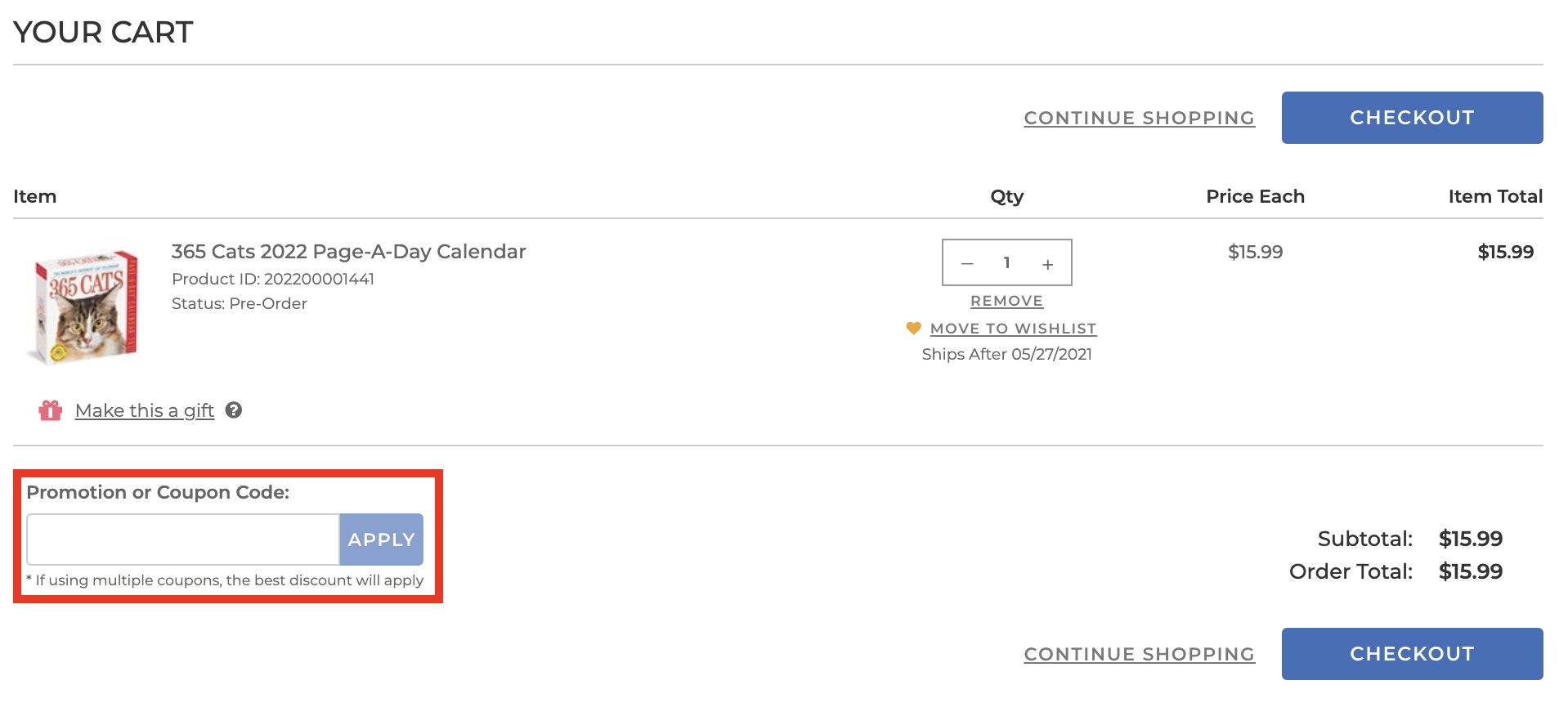
3. If the coupon was applied, a new box will appear showing the code that was used and an option to remove it from the order, if desired.
4. Once the coupon is applied and you are ready to check out, click "Checkout" to proceed.
NOTE: Unless otherwise specified in the terms and conditions of the coupon you are using, coupons cannot be combined. Only one coupon can be applied per order.
If you receive an error message ("Sorry, 'xxxx' does not appear to be a valid coupon code.") when trying to apply a coupon to your order, we have some suggestions which may help:
After you have made your selections and added them to your Shopping Cart:
- Log in to your account and clear your cookies.
- Re-enter the coupon code in the Promotion or Coupon Code field in your Shopping Cart.
If you have completed your selections and you are checking out as a Guest:
- Clear your cookies.
- Add your items to the cart again, then re-enter the coupon code in the Promotion or Coupon Code field under Continue.
If you are still not able to get the coupon to apply:
- Check the full terms and conditions of the offer.
- Check the promotion end date. Calendars.com will not let you apply expired coupons or promotions to your order.
- Double-check that you have met the purchase requirements of the promotion.
- If none of the above works, contact Customer Service for more help at 512-225-0071.
